



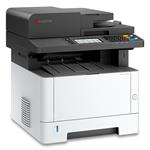


Description
Productivity, boosting performance & security
With the Office printer that demands less, yet delivers more
When you choose a printer for your business - you want to know that you're making the right choice. You want a printer that not only provides exceptional print quality - but delivers value too. Because the Samsung ML-3710ND is so simple to use it does just that. Simple menu structures mean everyone can utilise all the features it has to offer. Simple paper handling means that you can print on a wide range of papers and card stock - delivering professional results every time. And simple technology keeps paper jams at bay - and your teams focussed on their jobs. Simple to use and maintain, the Samsung ML-3710ND effortlessly combines high performance with outstanding productivity and versatility. Perfect for the busy office - perfect for you.
Save time and earth with convenient one-touch eco mode
Just one touch of the ECO button selects the toner save mode. And if you want to do more, administrator can customise the ECO settings to also convert your printouts to two or four pages per sheet, as well as print in duplex as standard. And it doesn't stop there. With the unique Result Simulator you can see exactly how much CO2, electricity and paper you have saved with the settings you've selected. Giving you real insight into the positive impact the Samsung ML-3710ND is having on your costs and the environment too.
Welcome to your high performance office
The ML-3710ND increases your productivity with a print speed of 35ppm. If its breathtakingly fast printing speed isn't enough, when you factor in the processing power that comes with an 600MHz dual-core processor, Gigabit network and memory expandable up to 384MB,, there's no doubting the high-octane performance the ML-3710ND can bring to any office.
Connect with your colleagues
Connect everyone in your office to one network and keep everything running smoothly. They'll share a common printer and you'll save time from servicing multiple machines. And with the Gigabit LAN you can increase your performance by hooking it up to the network. Improve your communication skills with the ML-3710ND laser printer and keep your lines of communication open.
Big features, small size
Looking for bigger performance from a compact printer? Think smaller. Measuring a ultra compact 366 x 368 x 240.6mm, the Samsung ML-3710ND has a smaller size than any other monochrome laser printer on the market. It easily fits onto any size of desktop while leaving plenty of room for you to get your work done. But don't let the ML-3710ND's ultra-compact size fool you: this is one featherweight who's ready to take on the heavyweight contenders any day.
Fed up with paper feeding?
Feel free to multitask while your documents print: the ML-3710ND will crank through even your biggest print jobs without relying on you for a paper refill. Upgrade the standard 250-page capacity cassette and 50-page multi-purpose tray with 520-page optional cassettes for even larger capacity paper handling, perfect for all of your bulk printing needs. Sometimes, bigger really is better
The printer that works with your budget.
The ML-3710ND lets you choose the right consumables option which you can afford. Toner cartridges are available in cost-effective high yield 5000-page version and extra high yield 10000-page version which provide a lower cost per page and require fewer replacements.
One less noisy office distraction
You shouldn't have to struggle to hear yourself think while sitting at your own desk. That's why the Samsung ML-3710ND is engineered to be whisper quiet, generating a noise level of just 52dBA while it's printing. That's less than the gentle hum of a running refrigerator! A desktop printer that does its work while letting you focus on yours? Cool.
Speedy printing from the very first page
Quit spending your life waiting by the printer. The ML-3710ND's industry-leading first page out time will have your first high-quality print in your hands in 8 seconds from ready mode. With its rapid 35 page-per-minute print speed and professional-grade resolution, you'll get print shop quality in the convenience of your own office. The only problem? What to do with all that new found time.
Capture what catches your eye
Samsung's AnyWeb Print software lets you go hunting and gathering on the Web. You can utilise the ML-3710ND to easily select, drag, and drop content from different web pages onto a printable scrap board in your browser window, all while you surf the web. Items can be printed quickly or saved in different file formats. It's an easy way to collect, arrange, and edit useful reference points and resources you can only find on the web for big projects - or even just for fun.
Compass Navigation
Always know where your job stands with the ML-3710ND's navigation feedback LED pattern. It keeps you clued in with its 11 different job status indicators, including error and warning situations.
Fast CPU
With a 600MHz. processor, the ML-3710ND works fast to reduce wait time from network printing and improve office productivity with its quick processing and rapid fire printing.
Expandable Memory
The built-in memory in the ML-3710ND means that it can handle your workload without breaking a sweat. Enjoy fast processing with the standard 128MB of built-in RAM, or upgrade to 384MB to handle even your biggest jobs with ease.
SyncThru™ Web Service
Tired of having to install software just to manage your printer? Now you can change printer settings, upgrade firmware and check your printer's status easily with just a web browser and the innovative SyncThru™ Web Service.
SyncThru™ Admin 5
Who says you can't do it all? SyncThru™ Admin 5 lets you easily install, manage and monitor all your networked digital print devices on an accessible interface. You also have the ability to analyse data in greater detail with easy-to-read reports.
CounThru™ 2 Pro / Enterprise
Get printer status without leaving your seat. Receive low toner level warnings, system error notifications and even usage and customer billing summaries with Samsung's proprietary CounThru™ 2 Pro / Enterprise interface.
Paper Jam
Don't let your productivity come to a halt. The ML-3710ND features semi-retard roller works to pick up only one piece of paper at a time while preventing sticky situations like misfeeds and paper jams.
-
Connect with your colleagues
Connect everyone in your office to one network and keep everything running smoothly. They'll share a common printer and you'll save time from servicing multiple machines. And with the Gigabit LAN you can increase your performance by hooking it up to the network. Improve your communication skills with the ML-3710ND laser printer and keep your lines of communication open. -
Big features, small size
Looking for bigger performance from a compact printer? Think smaller. Measuring a ultra compact 366 x 368 x 240.6mm, the Samsung ML-3710ND has a smaller size than any other monochrome laser printer on the market. It easily fits onto any size of desktop while leaving plenty of room for you to get your work done. But don't let the ML-3710ND's ultra-compact size fool you: this is one featherweight who's ready to take on the heavyweight contenders any day. -
Welcome to your high performance office
The ML-3710ND increases your productivity with a print speed of 35ppm. If its breathtakingly fast printing speed is not enough, when you factor in the processing power that comes with an 600MHz dual-core processor, Gigabit network and memory expandable up to 384MB,, there's no doubting the high-octane performance the ML-3710ND can bring to any office. -
Save time and earth with convenient one-touch eco mode
Just one touch of the ECO button selects the toner save mode. And if you want to do more, administrator can customise the ECO settings to also convert your printouts to two or four pages per sheet, as well as print in duplex as standard. And it doesn't stop there. With the unique Result Simulator you can see exactly how much CO2, electricity and paper you have saved with the settings you've selected. Giving you real insight into the positive impact the Samsung ML-3710ND is having on your costs and the environment too. -
The printer that works with your budget
The ML-3710ND lets you choose the right consumables option which you can afford. Toner cartridges are available in cost-effective high yield 5000-page version and extra high yield 10000-page version which provide a lower cost per page and require fewer replacements.
Specifications
Summary
- Product Description
- Samsung ML-3710ND - printer - B/W - laser
- Printer Type
- Workgroup printer - laser - B/W
- Weight
- 10 kg
- Media Size Class
- A4/Legal
- Max Media Size
- Legal (216 x 356 mm), A4 (210 x 297 mm)
- Min Media Size (Custom)
- 76 mm x 127 mm
- Max Media Size (Custom)
- 216 mm x 356 mm
- Print Speed
- Up to 35 ppm - B/W - A4 (210 x 297 mm)
- Max Resolution (B&W)
- 1200 dpi
- Automatic Duplexing
- Yes
- Interface
- USB, Gigabit LAN
- Processor
- Samsung 600 MHz
- RAM Installed (Max)
- 128 MB (384 MB)
- Language Simulation
- PCL 5E, PostScript 3, PCL 6, SPL (Samsung Printer Language), IBM ProPrinter, EPSON
- Media Type
- Envelopes, transparencies, labels, plain paper, cards, bond paper
- Total Media Capacity
- 300 sheets
- Media Handling
- 50-sheet multipurpose tray, 250-sheet paper cassette
- Monthly Duty Cycle (max)
- 80000 pages
- Networking
- Print server - Ethernet, Fast Ethernet, Gigabit Ethernet
- System Requirements
- Microsoft Windows 2000, Debian Linux, Red Hat Enterprise Linux WS, Red Hat Fedora Core 1, Red Hat Fedora Core 2, Red Hat Fedora Core 4, SuSE Linux 10.0, Red Hat Fedora Core 3, Red Hat Fedora Core 9, Red Hat Fedora Core 10, Ubuntu 8.10, Ubuntu 9.04, Ubuntu 6.06, SUSE Linux Enterprise Desktop 11, Apple MacOS X 10.3 - 10.6, SuSE Linux 10.1, SUSE Linux Enterprise Desktop 10, Red Hat Fedora Core 5, Mandriva Linux, Ubuntu 5.10, Red Hat Fedora Core 6, openSUSE 10.2, openSUSE 10.3, openSUSE 10.1, openSUSE 10.0, Red Hat Fedora Core 7, Red Hat Fedora Core 8, Ubuntu 5.04, Ubuntu 6.10, Ubuntu 8.04, Ubuntu 9.10, Red Hat Fedora Core 11, Red Hat Fedora Core 12, Ubuntu 7.10, Microsoft Windows Server 2008 R2 x64 Edition, Ubuntu 7.04, Microsoft Windows 7 (32/64 bits), Microsoft Windows XP (32/64 bits), Microsoft Windows Server 2008 (32/64-bits), Microsoft Windows Server 2003 (32/64-bits)
- Microsoft Certification
- Compatible with Windows 7
- Dimensions (WxDxH)
- 36.6 cm x 36.8 cm x 25.29 cm
Detailed Specification
General
- Printer Type
- Workgroup printer - laser - monochrome
Printer
- Print Speed
- Up to 35 ppm - B/W - A4 (210 x 297 mm)
- Built-in Devices
- Status LCD
- Connectivity Technology
- Wired
- Interface
- USB, Gigabit LAN
- Max Resolution (B&W)
- 1200 dpi
- Automatic Duplexing
- Yes
- First Print Out Time B/W
- 6.5 sec
- Language Simulation
- PCL 5E, PostScript 3, PCL 6, SPL (Samsung Printer Language), IBM ProPrinter, EPSON
- Media Handling
- 50-sheet multipurpose tray, 250-sheet paper cassette
Processor
- Processor
- Samsung 600 MHz
RAM
- RAM Installed (Max)
- 128 MB / 384 MB (max)
Media Handling
- Media Type
- Envelopes, transparencies, labels, plain paper, cards, bond paper
- Media Size Class
- A4/Legal
- Max Media Size
- Legal (216 x 356 mm), A4 (210 x 297 mm)
- Min Media Size (Custom)
- 76 mm x 127 mm
- Max Media Size (Custom)
- 216 mm x 356 mm
- Total Media Capacity
- 300 sheets
- Media Feeders
- 1 x automatic - 250 sheets , 1 x manual - 50 sheets
- Output Trays Capacity
- 150 sheets
Duty Cycle
- Monthly Duty Cycle (max)
- 80000 pages
Networking
- Networking
- Print server
- Data Link Protocol
- Ethernet, Fast Ethernet, Gigabit Ethernet
Expansion / Connectivity
- Expansion Slots
- Memory
- Connections
- 1 x USB 2.0 - 4 pin USB Type B , 1 x Gigabit LAN - RJ-45
Miscellaneous
- Consumables Included
- 1 x toner cartridge (black) - up to 2000 pages
- Compatible with Windows 7
- "Compatible with Windows 7" software and devices carry Microsoft’s assurance that these products have passed tests for compatibility and reliability with 32-bit and 64-bit Windows 7.
Power
- Power Device
- Power supply - internal
- Power Consumption Operational
- 600 Watt
- Power Consumption Stand by / Sleep
- 3.5 Watt
Software / System Requirements
- Software Included
- Drivers & Utilities
- OS Required
- Microsoft Windows 2000, Debian Linux, Red Hat Enterprise Linux WS, Red Hat Fedora Core 1, Red Hat Fedora Core 2, Red Hat Fedora Core 4, SuSE Linux 10.0, Red Hat Fedora Core 3, Red Hat Fedora Core 9, Red Hat Fedora Core 10, Ubuntu 8.10, Ubuntu 9.04, Ubuntu 6.06, SUSE Linux Enterprise Desktop 11, Apple MacOS X 10.3 - 10.6, SuSE Linux 10.1, SUSE Linux Enterprise Desktop 10, Red Hat Fedora Core 5, Mandriva Linux, Ubuntu 5.10, Red Hat Fedora Core 6, openSUSE 10.2, openSUSE 10.3, openSUSE 10.1, openSUSE 10.0, Red Hat Fedora Core 7, Red Hat Fedora Core 8, Ubuntu 5.04, Ubuntu 6.10, Ubuntu 8.04, Ubuntu 9.10, Red Hat Fedora Core 11, Red Hat Fedora Core 12, Ubuntu 7.10, Microsoft Windows Server 2008 R2 x64 Edition, Ubuntu 7.04, Microsoft Windows 7 (32/64 bits), Microsoft Windows XP (32/64 bits), Microsoft Windows Server 2008 (32/64-bits), Microsoft Windows Server 2003 (32/64-bits)
Environmental Parameters
- Sound Emission (Idle)
- 26 dB
- Sound Emission (Operating)
- 51 dB
Dimensions & Weight
- Width
- 36.6 cm
- Depth
- 36.8 cm
- Height
- 25.29 cm
- Weight
- 10 kg
Dimensions & Weight (Shipping)
- Width (Shipping)
- 45 cm
- Depth (Shipping)
- 44.5 cm
- Height (Shipping)
- 33.5 cm


