



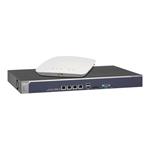
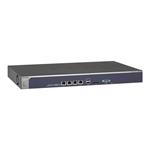


Description
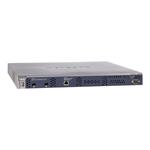
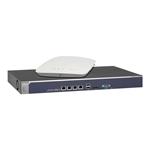
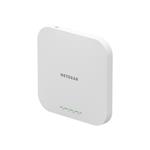
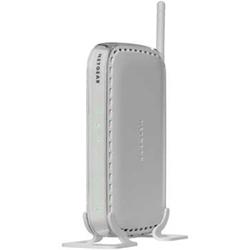
The Netgear WN604 Wireless Access Point's fast wireless speeds allow you to surf, email, stream music, play on-line games, make Internet phone calls, and more. With a built-in 4 port 10/100 switch for adding extra devices such as PC, printer, or web camera, the Netgear WN604 delivers exceptional connectivity, range and speed
Key Features
- Advanced Wireless-N technology delivers exceptional range and speed
- Up to 15x the speed and 5x the coverage of Wireless-G technology†
- Compared to Wireless-G, Wireless-N 150 provides better wireless coverage with Wireless-G devices and better speed with Wireless-N devices
- Push `N' Connect using Wi-Fi Protected Setup (WPS)1 - A secured connection at the push of a button
Netgear Green Technology
- Convenient power and Wi-Fi on/off switches to conserve energy
- Packaging manufactured with at least 80% recycled materials
Security
- Wi-Fi Protected Access (WPA-PSK,WPA2-PSK)
- Wireless Equivalent Privacy (WEP)
-64-bit, 128-bit, 152-bit encryption for IEEE 802.11b and IEEE 802.11g
-Wireless access control to identify authorized wireless network device
-MAC address authentication
-802.1x RADIUS support with EAP TLS, TTLS, PEAP
-Wi-Fi Protected Setup (WPS) push button and PIN
-Push "N" Connect using Wi-Fi
-Protected Setup (WPS) and Smart Wizard
Package Contents
-Netgear WN604 Wireless-N 150 Access Point
-Ethernet cable
-Resource CD
-Installation guide
-Power adapter
Specifications
Summary
- System Requirements
- 2.4 GHz 802.11n 2.0 adapter or 802.11b/g wireless adapter. Or, Ethernet adapter and cable for each computer
- OS Requirements
- Microsoft Windows 7 Vista, XP, 2000, Mac OS, UNIX, or Linux
- Browser Requirements
- Microsoft Internet Explorer 7.0, Firefox 2.0 or higher
- Standards
- IEEE 802.11n version 2.0, IEEE802.11g, IEEE 802.11b, 2.4GHz, Wireless Distribution System (repeater and Wireless Client mode support), Wi-Fi Multimedia (WMM) to optimise audio, video and voice applications
- Dimensions
- 175 x 118 x 28mm
- Weight
- 0.399kg


