





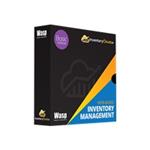




Description
How can you get the document into the format you want without having to do extensive re-typing or re-editing? Now the answer is OmniPage Professional 18. This innovative solution lets you convert paper, PDF files and forms at lightning speed into documents you can edit on your PC or archive in a document repository. Amazing accuracy, combined with batch processing and comprehensive network features, make it the perfect choice for organizations of all kinds.
OmniPage eliminates paper and digital inefficiency by improving productivity, enhancing responsiveness and reducing storage and material costs. Organizations save significant time and money by leveraging the superior OCR and document formatting accuracy of OmniPage to instantly convert documents into the format of their choice. Retyping is eliminated, tasks are automated, information is easily accessed and productivity soars.
-
Start page provides guidance
When OmniPage opens it presents clear options to open or scan documents, open OmniPage project documents and provides pre-programmed workflows to take your documents from one format to another in one easy step. -
Most productive and accurate searchable PDF ever
PDF files are everywhere and can come from a variety of sources. They can include scanned pages, embedded images, and other types of information. Many of these elements don't include searchable text. The eDiscovery Assistant for searchable PDF is a revolution in safely converting a single PDF or batches of PDFs of all types into completely searchable documents. Now you don't have to open PDF files one by one, or use an OCR process that might unintentionally wipe out valuable information. -
Better scanned images produces better accuracy
The algorithms for removing speckles and dots from page images to help increase accuracy are improved, with a choice of despeckling methods. -
Poorly scanned images need OmniPage with scanner enhancement tools
When whiteboard content is captured by digital camera, the text and diagrams can be enhanced for maximum readability. Auto-crop pages to have margins detected and reduced; the punch hole remover and border tools produce clean page borders without scanning shadows and marginal notes. -
Automatic language detection
Let the program assign a single language to each incoming page during unattended processing. -
Better control over determining blank pages
A sensitivity setting increases the accuracy of recognizing blank pages that may scan as light gray or colored pages by allowing the threshold for blankness to be adjusted. This improves the use of two controls: the pre-processing option 'Drop blank pages' and the existing saving option 'Create a new file at each blank page'. -
ISIS scanners
Scanners that support ISIS drivers can be used to scan directly into OmniPage. -
Maximize productivity with the eDiscovery Assistant for searchable PDF
PDF files are everywhere and can come from a variety of sources. They can include scanned pages, embedded images, and other types of information. Yet, many of these elements don't include searchable text. -
Access and convert documents in the cloud
Storing, sharing, and archiving documents using cloud storage services is a fast and convenient option today. OmniPage is designed to easily connect to a variety of cloud storage and online document websites. -
Take advantage of the most accurate OCR solution
PC Magazine's independent tests confirmed that OmniPage is the most accurate OCR solution. Now, it's easier than ever for re-use content from existing documents. And since electronic archiving and retrieval depends heavily on OCR accuracy, accurate conversions mean more accurate document retrieval. OmniPage's increased accuracy also helps reduce the time required for proofreading. -
Financial, legal, and medical recognition
Recognition dictionaries for financial, legal, and medical specialties ensure the most accurate conversion of important industry-specific terms. -
Breakthrough PDF conversion
OmniPage Professional 18 helps you easily repurpose information trapped in PDF files by instantly converting them into editable word processing and spreadsheet documents - complete with layout, text, graphics, and tables.
Specifications
Summary
- Product Description
- OmniPage Professional (v. 18) - box pack - 1 user
- Product Type
- Box pack
- Category
- Utilities - OCR software
- Version
- 18
- Licence Qty
- 1 user
- Platform
- Windows
- Language
- English
- Distribution Media
- CD-ROM
Detailed Specification
General
- Category
- Utilities - OCR software
- Product Type
- Box pack
- Version
- 18
- Platform
- Windows
- Distribution Media
- CD-ROM
- Language
- English
- Min Supported Colour Depth
- 16-bit (64k colours)
Licencing
- Licence Qty
- 1 user
System Requirements
- Supported OS
- Microsoft Windows Vista (32/64 bits) SP2, Microsoft Windows XP SP3, Microsoft Windows 7 (32/64 bits)
- Additional Requirements
- CD-ROM, scanner, digital camera, graphics card, XGA monitor, Internet connection


