






Description
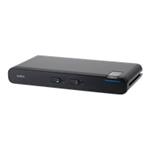
Use one monitor, keyboard, and mouse between two PS/2 computers. Now you can add a second computer to your home or office, and access both computers from the same desk space. Switch your monitor from one computer to the next with a simple hot-key sequence on your keyboard. The 2-Port KVM Switch includes two 6-ft. cables to connect your computers.
Specifications
Summary
- Product Description
- Belkin 2-Port KVM Switch with Built-In Cabling - KVM switch - 2 ports
- Device Type
- KVM switch - 2 ports
- Subtype
- KVM
- Ports
- 2 x KVM port(s)
- KVM Users Qty
- 1 local user
- Manufacturer Warranty
- 3-year warranty
Detailed Specification
General
- Device Type
- KVM switch - 2 ports
- Enclosure Type
- Desktop
- Subtype
- KVM
- Ports
- 2 x KVM port(s)
- KVM Local Users Qty
- 1 local user
- Keyboard / Mouse Interface
- PS/2
- Max Resolution
- 2048 x 1536 @ 65 Hz
- Built-in Devices
- Led panel
- Status Indicators
- Select
Expansion / Connectivity
- Interfaces
- 2 x VGA HD-15 , 2 x keyboard (PS/2) , 2 x mouse (PS/2) , 1 x VGA HD-15 , 1 x keyboard (PS/2) , 1 x mouse (PS/2)
Miscellaneous
- Cables Included
- 2 x keyboard / mouse / video cable - 2.4 m
Manufacturer Warranty
- Service & Support
- Limited warranty - 3 years
Customer reviews
Write a review for the Belkin 2-Port KVM Switch with Built-In Cabling PS/2 here!
We bought twelve.
Reviewed by Anonymous Review Posted 25/07/2006
We bought twelve. They are abused by students but they all still work. The only glitch is an unexplained change of hot key sequence. Instead of Scroll_Lock, Scroll_Lock, Up/Down_Arrow it changed to Ctrl, Ctrl, Up/Down_Arrow. Not a big problem.
-
Overall

-
Ease of use
-
Value for money
Works with Linux!
Reviewed by sparlock. Review Posted 15/07/2007
Contrary to another reviewer mine works fine switching between my (K)Ubuntu Linux desktop PC and SMEserver Linux server. Also between a customer's WinXP desktop and the Linux server I did for him. So, no problems, excellent product, good value.
-
Overall
-
Ease of use
-
Value for money
Well worth it
Reviewed by Anonymous Review Posted 18/06/2006
This is the first kvm i've bought and i'm very impressed with it. I did a little research around this product first and saw a few people saying that it didnt work well with keyboards that have function keys.. i have a wireless keyboard and mouse with lots of function keys and they work a treat. Also some people were saying this product gave ghosting on the monitor of one PC.. i found this at first but if you set the refresh rate of both PCs to the same(and one they both like) for me it was 72mhz , then there is no sign of ghosting at all. overall this is a great buy for the money it cost's and personally ive had no problems with it at all.
-
Overall
-
Ease of use

-
Value for money
The opinions expressed in this reviews section are those of our customers and not of BT Business Direct. Nothing contained herein amends BT Business Direct’s terms and conditions.


